

PHP2Shell is a pair of PHP bugs, CVE-2026-109618 and CVE-2026-109619, that can let one unauthenticated request run code on a web server. The fix is PHP 8.5.12, 8.4.27, 8.3.36 or 8.2.35, or your Linux vendor’s patched package, then a full PHP restart. Then check your logs back to Oct 17, 2026, when the first exploit attempt was seen.
Key takeaways
- The fixed upstream releases are 8.5.12, 8.4.27, 8.3.36 and 8.2.35. Ubuntu 24.04’s fixed package still reports 8.3.6.
- Restart every PHP worker after updating. A reload is not enough.
- Set
session.upload_progress.enabled=0in php.ini or the FPM pool. It also covers CVE-2026-115560 until PHP’s next bugfix release. - Review logs from Oct 17, 2026, not from the Oct 21 disclosure.
- CISA added both CVEs to its Known Exploited Vulnerabilities catalog on Oct 26, 2026.
What is PHP2Shell, and is my WordPress or Laravel site exposed?
Assume any PHP site is exposed until its server is patched. PHP’s advisory covers all PHP installations serving web requests, including PHP-FPM, Apache with mod_php, php-cgi, FrankenPHP and LiteSpeed.
The bugs are in PHP itself, and an attack doesn’t depend on a flaw in your application’s code. Updating WordPress, Laravel or plugins won’t help, and WordPress says no update is required or planned. PHP rates both bugs 9.2 on CVSS v4.0.
In PHP’s assessment, Apache with mod_php carries the highest risk, with a demonstrated exploit that runs before any application code. PHP-FPM, the default on Red Hat Enterprise Linux 8 and later, is also affected, with code execution confirmed through application-level code paths.
Is PHP2Shell being exploited?
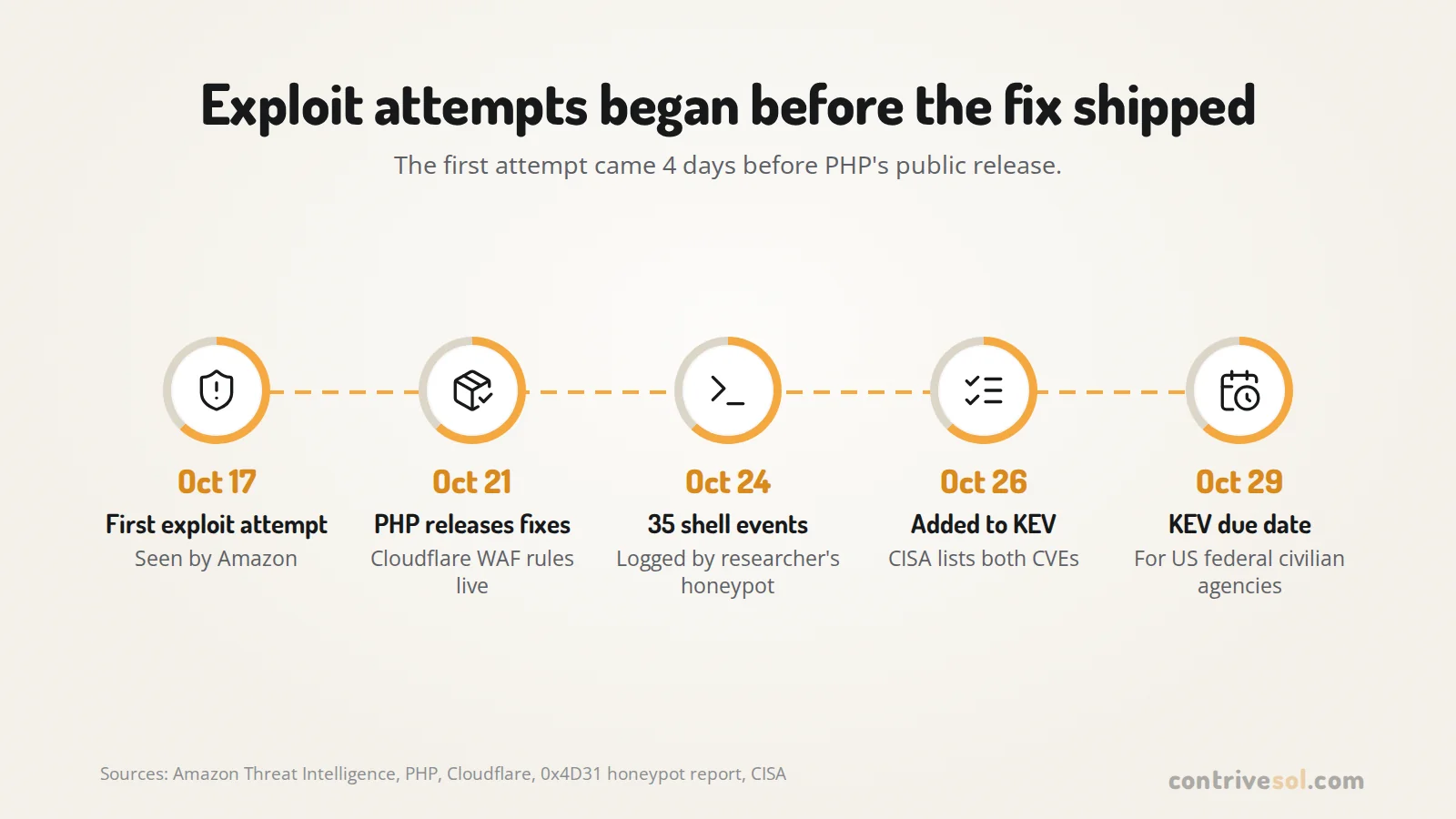
Yes. Amazon found an attempt dated Oct 17 in its MadPot honeypot data, 4 days before PHP’s public release. It couldn’t say whether the early attempts would have worked on real systems. Linux distributions and LTS vendors got the patches ahead of that release.
- Oct 17: first exploit attempt seen by Amazon
- Oct 21: Cloudflare WAF rules live from 03:02 UTC; PHP releases the fixes
- Oct 23: PHP warns about a third issue, CVE-2026-115560
- Oct 24: a researcher publishes evidence of 35 shell events spawned by Apache
- Oct 26: CISA adds both CVEs to its Known Exploited Vulnerabilities (KEV) catalog
- Oct 29: KEV due date
BleepingComputer reported the Oct 24 evidence as confirmed code execution on a single-worker PHP 8.4.26 mod_php honeypot, a setup the researcher called intentionally favorable.
The Oct 29 due date binds only US federal civilian agencies, though CISA encourages every organization to prioritize KEV fixes. For internet-facing systems, Amazon advises measuring patch timelines in hours.
Which PHP versions fix PHP2Shell?
Upstream, the fixed releases are 8.5.12, 8.4.27, 8.3.36 and 8.2.35. Fixed distribution packages often show an older version number:
| Platform | Fixed package | Advisory |
|---|---|---|
| Ubuntu 24.04 (php8.3) | 8.3.6-0ubuntu0.24.04.13 | USN-8948-1 |
| Ubuntu 22.04 (php8.1) | 8.1.2-1ubuntu2.28 | USN-8948-1 |
| Ubuntu 20.04 (php7.4) | 7.4.3-4ubuntu2.29+esm5 | Ubuntu Pro (ESM) |
| Debian 12 (php8.2) | 8.2.35-1~deb12u1 | DLA-4848-1 |
| Debian 13 (php8.4) | 8.4.27-1~deb13u1 | DSA-6574-1 |
The PHP project no longer ships releases for 8.1 and older, though its security team published minimal source backports for 7.4, 8.0 and 8.1. Moving off an old branch is often a legacy modernization job, not a weekend patch.
PHP 8.2 gets the fix, but its security support ends Dec 31, 2026. On Red Hat Enterprise Linux, follow RHSB-2026-013; RHEL 7 is affected only by CVE-2026-109619. On Ondřej Surý’s PPA, which still serves Ubuntu Jammy and Noble, check the package changelog on the server.
Why does a patched Ubuntu server still say PHP 8.3.6?
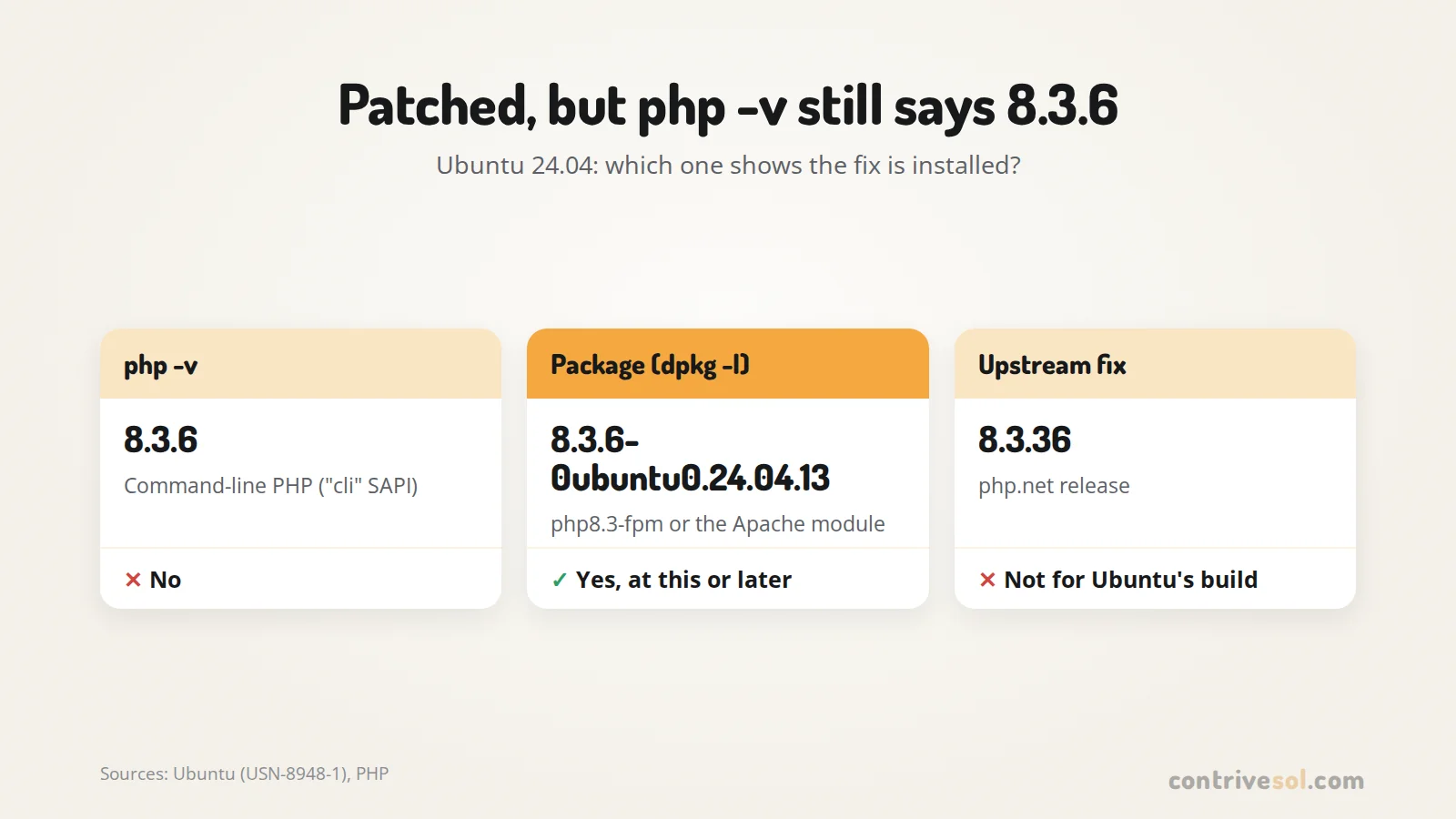
Ubuntu backports the fix into its own build and keeps the upstream version number. The fixed Ubuntu 24.04 package is 8.3.6-0ubuntu0.24.04.13, so php -v prints 8.3.6, far below the upstream fix, 8.3.36.
Worked example on an Ubuntu 24.04 server:
php -vprints 8.3.6. That’s command-line PHP, which reports the “cli” SAPI, not the fpm-fcgi or apache2handler the site runs on.dpkg -lshows the web server’s package. php8.3-fpm or libapache2-mod-php8.3 must be 8.3.6-0ubuntu0.24.04.13 or later.apt changelogshows the installed version’s changelog by default. Look for CVE-2026-109618 and CVE-2026-109619 in the newest entry.
php -v
dpkg -l php8.3-fpm libapache2-mod-php8.3
apt changelog php8.3-fpm | head -n 40
# offline alternative: the changelog shipped with the package
zcat /usr/share/doc/php8.3-fpm/changelog.Debian.gz | head -n 40
apt changelog downloads the changelog, so it needs network access; the last line reads the local copy instead. With two PHP versions installed, check the one that serves the site.
How do I patch and restart PHP correctly?
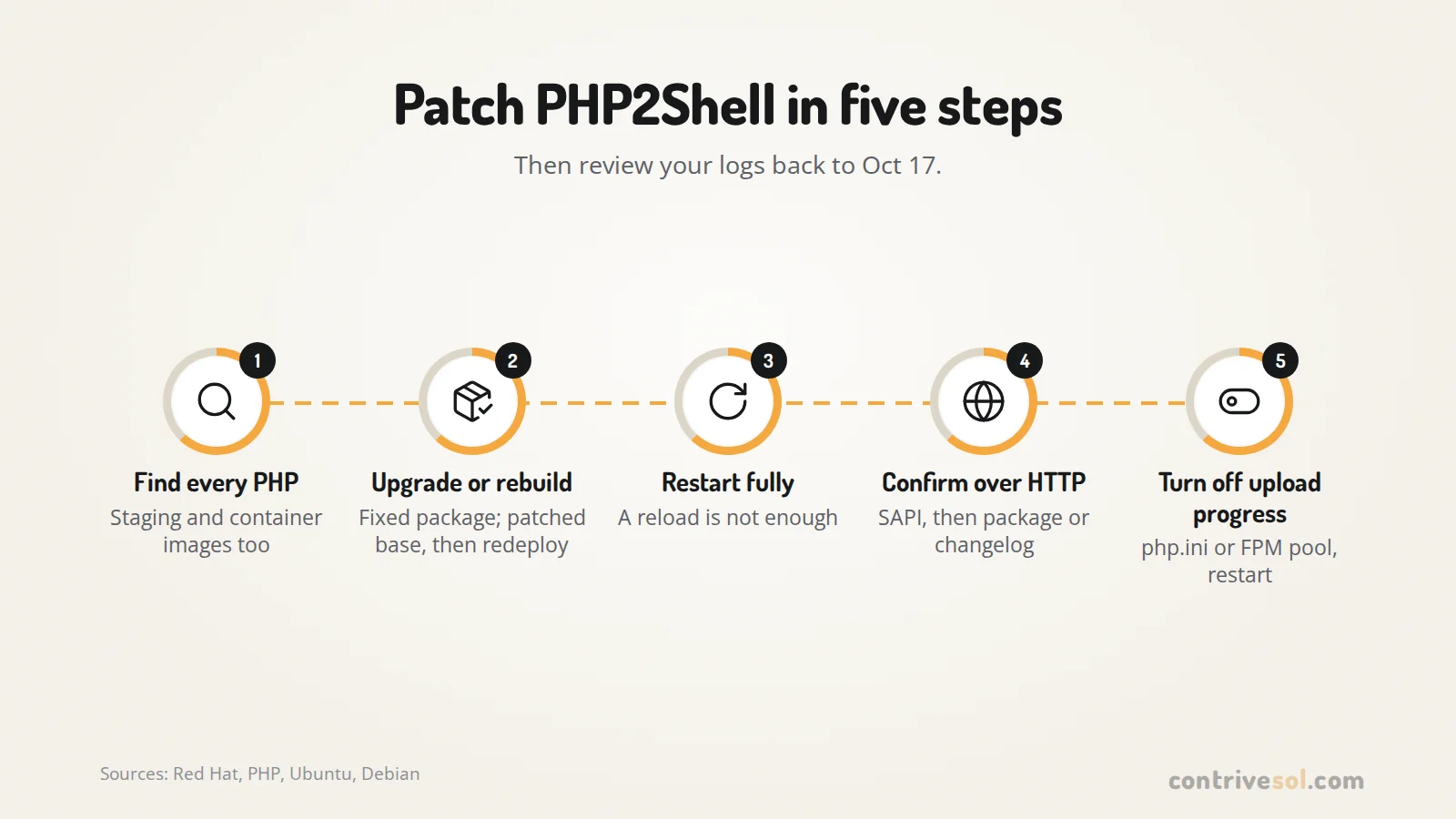
Install the fixed package, then restart every PHP worker. Red Hat says a reload is not enough, because existing workers may keep affected state from earlier requests.
- List every place PHP serves web traffic, including staging servers and container images.
- Upgrade the packages, or rebuild images on a patched base and replace the running containers.
- Restart PHP-FPM or Apache fully.
- Confirm the result over HTTP, not from the command line.
On Debian or Ubuntu with PHP 8.3 (adjust the version):
sudo apt update && sudo apt upgrade
sudo systemctl restart php8.3-fpm
sudo systemctl restart apache2 # only if the site uses mod_php
# RHEL: the units are php-fpm and httpd
Then save this in the web root under a random file name, load it once in a browser and delete it right after:
<?php
echo php_sapi_name(), ' ', PHP_VERSION, ' upload_progress=', ini_get('session.upload_progress.enabled');
phpinfo(INFO_GENERAL);
The output shows which SAPI and PHP branch the site runs, so you know which package to check. That package’s version or changelog decides whether it’s fixed, as in the Ubuntu example.
Should I turn off session upload progress?
Yes, for most sites. Set session.upload_progress.enabled=0 in php.ini, an FPM pool or server config, then restart every worker. ini_set() and .user.ini files don’t count, because the setting must apply before PHP parses the request.
Debian and Ubuntu keep one php.ini per SAPI, so edit the fpm or apache2 file, not the cli one:
; /etc/php/8.3/fpm/php.ini or /etc/php/8.3/apache2/php.ini
session.upload_progress.enabled = 0

; or in the FPM pool file, e.g. /etc/php/8.3/fpm/pool.d/www.conf
php_admin_flag[session.upload_progress.enabled] = off
The feature is on by default and reads a POST field named PHP_SESSION_UPLOAD_PROGRESS. Turning it off blocks the confirmed CVE-2026-109619 session paths, though not every variant.
It also covers CVE-2026-115560, a third issue in the same feature. Cloudflare says the bug affects fully patched releases, including 8.5.12. Exploiting it needs an app that sets session.serialize_handler to php_binary or php_serialize, then switches it to php with ini_set() before session_start().
PHP suggests keeping upload progress off until its next regular bugfix release. NCSC-NL gives the same advice, unless your app needs the feature and never changes the serialize handler at runtime. You lose PHP’s built-in upload progress tracking, which may not work behind Nginx anyway, since Nginx is known to buffer larger requests.
What can I do if I can’t patch today?
Interim settings and a WAF reduce exposure, but PHP says only an update is a complete solution; the other measures don’t make an installation safe.
| Measure | What it blocks | Limit |
|---|---|---|
session.upload_progress.enabled=0 |
Confirmed CVE-2026-109619 session paths, CVE-2026-115560 | Not other variants |
memory_limit=-1, post_max_size 8M, or 32M if you need uploads |
The memory-limit failure in CVE-2026-109618 | A lower-level allocation failure can still hit the bug |
fatal_error_backtraces=0 (PHP 8.5) |
The confirmed fatal backtrace path | Only that path |
| WAF rules (Cloudflare’s live Oct 21) | Known request patterns | Not a fix; Cloudflare’s CVE-2026-115560 rule misses a renamed upload progress field |
If you set memory_limit=-1, PHP’s advice is to set it where applications can’t override it, such as php_admin_value in the FPM pool. Remove it once you’ve patched, because with no limit one runaway script can take all the server’s memory. Don’t cap memory with RLIMIT_AS or RLIMIT_DATA instead: these can cause the allocation failure the bug needs. Hiding errors with error_reporting, display_errors or @ doesn’t help either.
Cloudflare tells customers to patch even with its WAF rules on, and notes that request data doesn’t always separate an exploit from normal traffic. If you can neither patch nor mitigate in time, the UK NCSC says to consider taking the system offline.
What should I look for in logs back to Oct 17?
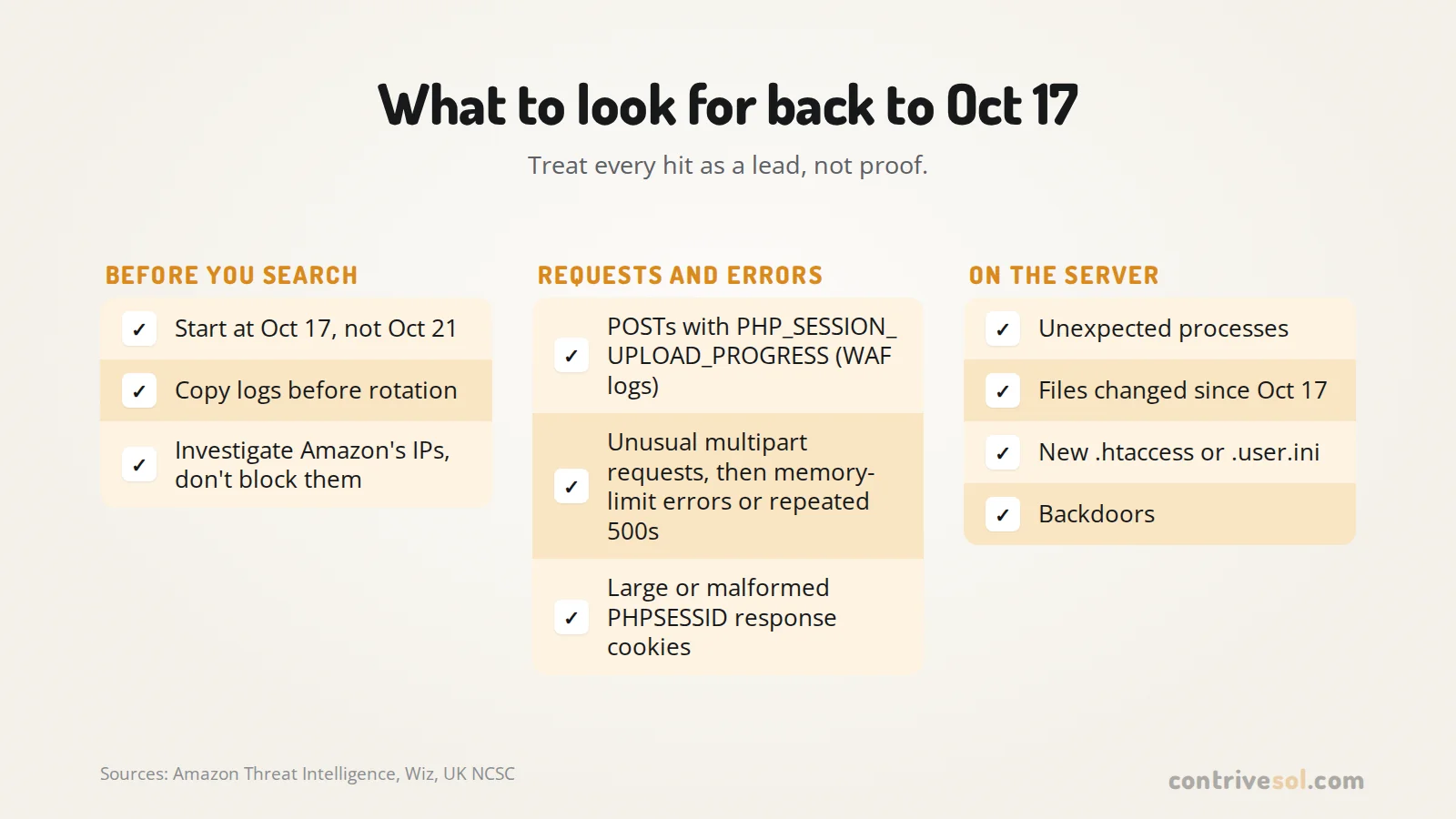
Start from Oct 17, 2026, the earliest known exploitation, not the Oct 21 disclosure. Copy your logs now, before rotation deletes those dates. Treat the published signals as leads, not proof:
- POST requests carrying
PHP_SESSION_UPLOAD_PROGRESSin form uploads. Access logs don’t store request bodies, so only a WAF that logs bodies or rule matches will show it. - Unusual multipart requests followed by memory-limit errors or repeated HTTP 500s.
- Large or malformed
PHPSESSIDresponse cookies. - Unexpected processes, file changes or backdoors.
Amazon also published IP addresses, but the list includes shared anonymizing infrastructure, so investigate hits instead of blocking them.
# Debian/Ubuntu paths; on RHEL use /var/log/httpd and /var/log/php-fpm
# 1. keep a copy before rotation removes it (missing paths are skipped with a warning)
sudo tar czf /root/php2shell-logs.tgz /var/log/nginx /var/log/apache2 /var/log/php*-fpm.log*

# 2. POST requests answered with a 500 (same pattern for nginx and Apache combined format)
sudo zgrep -h '"POST ' /var/log/nginx/access.log* /var/log/apache2/access.log* | grep '" 500 '

# 3. memory-limit errors (PHP-FPM's usually land in the nginx error log)
sudo zgrep -h 'Allowed memory size' /var/log/nginx/error.log* /var/log/apache2/error.log*

# 4. PHP worker crashes
sudo zgrep -hE 'SIGSEGV|SIGBUS|exited on signal' /var/log/php8.3-fpm.log*
sudo zgrep -h 'Segmentation fault' /var/log/apache2/error.log*

# 5. files changed since Oct 17, by change time (ctime)
find /var/www \( -name '*.php' -o -name '*.phtml' -o -name '*.phar' \
 -o -name '.htaccess' -o -name '.user.ini' \) -newerct 2026-10-17 -ls

# 6. what the web server user runs now (www-data on Debian/Ubuntu; apache or nginx on RHEL)
ps -u www-data -f
The find check uses change time, which touch can’t reset. Deploys, plugin updates and permission changes show up too, so compare the list with your deploy history. Look closely at any new .htaccess or .user.ini: either can make PHP load an extra file on every request.
Application monitoring can show 500 and memory-error spikes per route for the same dates. If anything looks wrong, treat the server as compromised: patching doesn’t remove a backdoor that’s already there.
Frequently asked questions
Will updating WordPress, Drupal or Joomla fix PHP2Shell?
No. Both bugs are in PHP, and exploitation does not depend on a flaw in your application’s code. WordPress says no update is required or planned for these issues, and the same holds for Drupal, Joomla and Laravel. You need PHP 8.5.12, 8.4.27, 8.3.36 or 8.2.35, or your Linux vendor’s patched package, then a full restart of every PHP worker.
Is PHP 8.1 or 7.4 affected by PHP2Shell?
Treat them as affected. The PHP project no longer releases updates for 8.1 and older, but its security team published minimal source backports for 7.4, 8.0 and 8.1. Ubuntu fixed php8.1 on 22.04 as 8.1.2-1ubuntu2.28, and php7.4 on 20.04 only through ESM. Without a vendor package or a source build, upgrade to a supported branch.
Does my web host patch PHP for me?
It depends on who controls PHP on your plan, so ask your host. On its managed plans, Hostinger tells customers to check that the PHP Build Date in its dashboard is October 21, 2026, or later. It says VPS customers must update and restart PHP themselves. That check applies to Hostinger’s own builds. Elsewhere, compare the PHP package version or changelog with your vendor’s advisory.
Does PHP 8.5.12 fix everything?
It fixes CVE-2026-109618 and CVE-2026-109619. It does not fix CVE-2026-115560, a third issue in session upload progress that PHP disclosed on Oct 23 and that Cloudflare says affects fully patched releases, including 8.5.12. Until PHP’s next regular bugfix release, PHP suggests setting session.upload_progress.enabled=0.
Is PHP2Shell on CISA’s Known Exploited Vulnerabilities list?
Yes. CISA added CVE-2026-109618 (PHP Memory Corruption Vulnerability) and CVE-2026-109619 (PHP Stale Internal Request-State Vulnerability) on Oct 26, 2026. The catalog’s Oct 29 due date binds only US federal civilian agencies, though CISA encourages all organizations to prioritize KEV fixes. CISA lists their use in ransomware campaigns as unknown.
We’ve patched our own sites. If nobody on your side owns PHP updates, worker restarts and log reviews, that is the work our website maintenance service covers.